
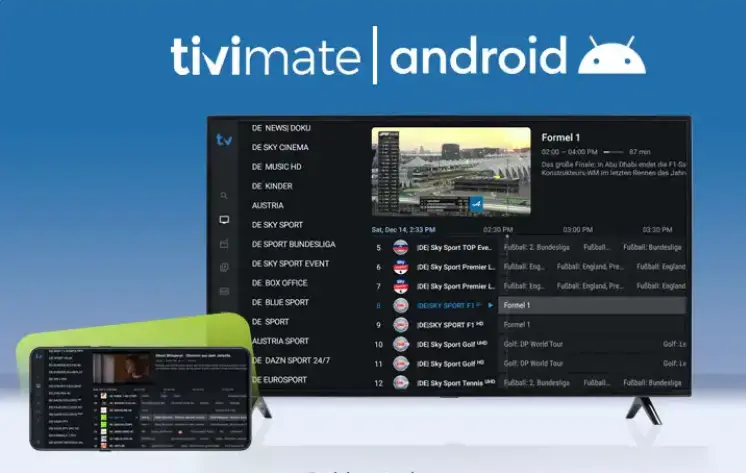
Installing TiviMate on Android: Instructions for Phones and TVs
This guide explains installing TiviMate on Android for both Android TV devices and Android phones. You’ll learn the safest installation methods, how to add an IPTV playlist, set up EPG, and fix common problems.
Quick answer
The easiest way to install TiviMate is on Android TV via Google Play Store. On Android phones, you can usually install TiviMate via APK, but the app is primarily designed for TV screens and remote navigation.
Can you install TiviMate on all Android devices?
TiviMate is officially built for Android TV and works best with a remote control. It’s commonly used on:
- Android TV / Google TV
- Android TV boxes
- NVIDIA Shield
- Chromecast with Google TV
You can install it on some Android phones via APK, but the UI may feel awkward on touch screens.
Installing TiviMate on Android TV (Recommended)
If your Android TV has Google Play Store, this is the safest and easiest method.
Method 1: Google Play Store (Easiest)
- Turn on your Android TV device
- Open Google Play Store
- Search for TiviMate IPTV Player
- Click Install
- Open the app and continue to playlist setup
Installing TiviMate on Android TV via APK (Advanced)
Use this method only if the Play Store is missing or your device is not certified.
Safety tip
Only download APKs from sources you trust. Avoid random links. Keep your device updated and scan files where possible.
Method 2: APK install steps
- Download the TiviMate APK from a trusted source
- Open Settings → Security (or Apps) → enable Install unknown apps
- Open a file manager and locate the APK
- Select the APK and install
- Launch TiviMate and add your IPTV playlist
Installing TiviMate on Android phone (APK method)
TiviMate is mainly designed for Android TV, but some users still install it on phones for quick testing.
Step-by-step
- Download the TiviMate APK (trusted source)
- Go to Settings → Security → enable Install unknown apps
- Open the APK file and install
- Open TiviMate and add playlist details
What to expect on phones
- UI may not be optimized for touch
- Some screens may be harder to navigate
- Android TV or Fire TV is still the best experience
How to add IPTV playlist + EPG in TiviMate
After installation, you need your IPTV provider details. TiviMate does not include channels.
Playlist options
- M3U URL (playlist link)
- Xtream Codes (server URL + username + password)
Setup steps
- Open TiviMate → choose Add Playlist
- Select M3U or Xtream Codes
- Enter credentials carefully (avoid extra spaces)
- Add EPG source (if provided)
- Refresh channels and test playback
Best practice
- Create Favorites for fast access.
- Hide categories you don’t need.
- Back up settings if you use Premium.
Best Android devices for TiviMate (2026)
| Device | Best for | Notes |
|---|---|---|
| NVIDIA Shield | Best performance | Fast, stable, excellent for IPTV |
| Chromecast with Google TV | Great value | Affordable and smooth for most users |
| Android TV Box (4K) | Budget setups | Quality varies by brand |
| Android Phone | Testing only | Not ideal for daily IPTV viewing |
Common installation problems & fixes
TiviMate not showing in Play Store
- Your device may not be Android TV certified
- Region restrictions may apply
- Use the APK method if needed
APK won’t install
- Enable Install unknown apps
- Check storage space (keep 1GB free)
- Restart the device and try again
IPTV buffering on Android
- Use LAN if possible (or strong 5GHz Wi-Fi)
- Aim for 50+ Mbps stable speed
- Restart router and device
Legal note
TiviMate is a media player app. IPTV technology is legal, but the legality of streams depends on the content provider. Always use properly licensed services and follow your local laws.
FAQ – Installing TiviMate on Android
Can I install TiviMate on Android phone?
Yes, typically via APK, but it’s designed for Android TV and remote navigation.
Is TiviMate free?
There’s a free version. Premium unlocks advanced features like multi-playlists, recording, and backups.
Does TiviMate include channels?
No. You need an IPTV playlist from a provider.
Why can’t I find TiviMate in the Play Store?
Your device may not be Android TV certified, or the listing may not be available in your region.
Final thoughts
Installing TiviMate on Android TV is easiest through Google Play Store. On Android phones, APK installation is possible, but the best experience is still on Android TV devices with a remote control. Use stable internet, keep your device updated, and add a valid playlist and EPG for the smoothest IPTV setup in 2026.