
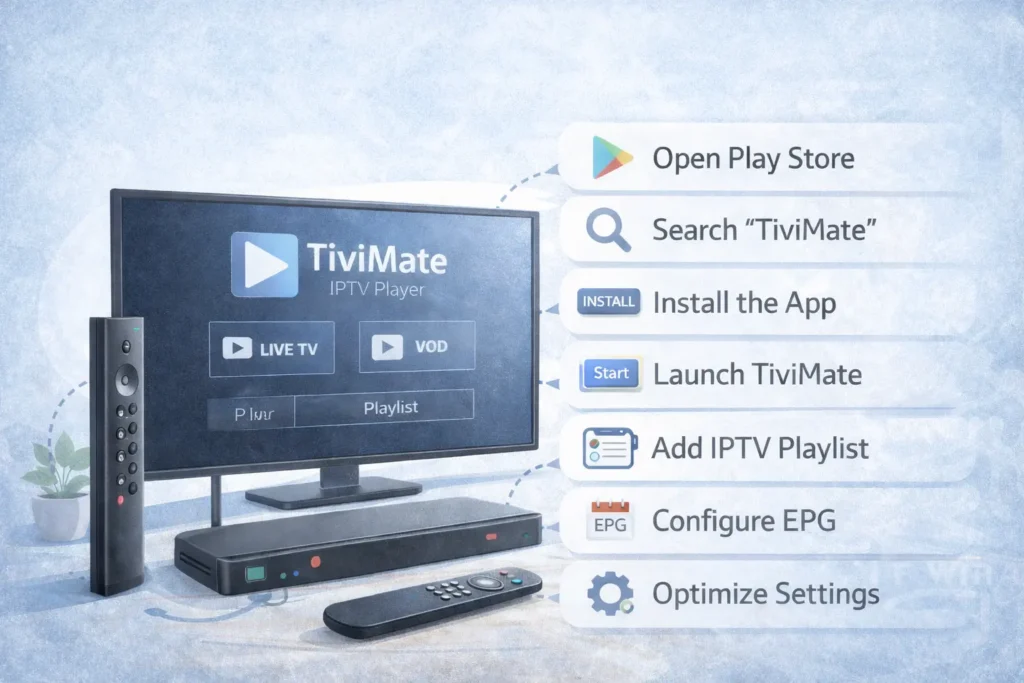
Installing TiviMate on NVIDIA Shield TV: The Ultimate Guide [2026]
Installing TiviMate on NVIDIA Shield TV is one of the best ways to enjoy IPTV with a powerful streaming device. The NVIDIA Shield TV is known for its high performance, smooth interface, and excellent compatibility with IPTV apps like TiviMate.
If you want a fast and reliable IPTV experience, combining TiviMate with NVIDIA Shield TV is an excellent choice. In this guide, we’ll walk you through the entire process step by step.
In this tutorial, you will learn:
- How to install TiviMate on NVIDIA Shield TV
- How to add your IPTV playlist
- How to configure EPG
- How to fix common installation issues
What Is TiviMate?
TiviMate is one of the most popular IPTV player apps designed specifically for Android TV devices. It provides a modern interface that allows users to stream live TV channels using IPTV playlists.
The app itself does not provide TV channels. Instead, you must add your own IPTV service or playlist to watch content.
Key features of TiviMate include:
- Modern TV guide interface
- Playlist support (M3U and Xtream Codes)
- Multiple playlist management
- Electronic Program Guide (EPG)
- Catch-up and recording support
Why Use NVIDIA Shield TV for TiviMate?
The NVIDIA Shield TV is one of the best Android TV streaming devices available today. It offers powerful hardware that ensures smooth IPTV playback.
Advantages include:
- Fast processor for smooth streaming
- 4K HDR support
- Excellent WiFi and Ethernet performance
- Android TV compatibility
- Google Play Store access
These features make the NVIDIA Shield TV an excellent device for running TiviMate.
Requirements Before Installing TiviMate
Before starting the installation, make sure you have the following:
- NVIDIA Shield TV connected to the internet
- Google Play Store access
- An active IPTV subscription or playlist
- A remote control or keyboard for navigation
Once everything is ready, you can proceed with the installation.
How to Install TiviMate on NVIDIA Shield TV
Step 1: Open the Google Play Store
Turn on your NVIDIA Shield TV and navigate to the home screen.
Open the Google Play Store from the applications menu.
Step 2: Search for TiviMate
Use the search function in the Play Store and type:
TiviMate IPTV Player
Select the official TiviMate app from the search results.
Step 3: Install the App
Click the Install button and wait for the installation to complete.
This process usually takes less than a minute depending on your internet speed.
Step 4: Launch TiviMate
Once installed, open the application.
You will see the welcome screen asking you to add your IPTV playlist.
How to Add an IPTV Playlist in TiviMate
After installing the app, the next step is adding your IPTV playlist.
Step 1: Select Add Playlist
On the welcome screen, choose Add Playlist.
Step 2: Choose Playlist Type
TiviMate supports different playlist formats:
- M3U URL
- Xtream Codes Login
Select the option provided by your IPTV provider.
Step 3: Enter Playlist Details
Enter the required information such as:
- Playlist URL
- Username
- Password
- Server URL
After entering the details, confirm and wait for the channels to load.
How to Configure EPG (TV Guide)
The Electronic Program Guide (EPG) allows you to see the schedule for TV channels.
Step 1: Open Settings
Navigate to the Settings menu in TiviMate.
Step 2: Select EPG
Choose the EPG option.
Step 3: Add EPG Source
Enter the EPG URL provided by your IPTV provider.
Once loaded, you will see the TV schedule displayed in the guide.
Common Issues and Fixes
TiviMate Not Installing
If the app fails to install:
- Restart your NVIDIA Shield TV
- Check internet connection
- Update Android TV system software
Playlist Not Loading
If channels do not appear:
- Check playlist URL
- Verify IPTV subscription
- Reload playlist in settings
Buffering Issues
If buffering occurs:
- Use Ethernet instead of WiFi
- Restart your router
- Adjust player buffer settings
Tips for the Best TiviMate Experience
To optimize your IPTV streaming experience:
- Use a stable internet connection
- Keep the app updated
- Use a reliable IPTV provider
- Enable hardware decoding
Conclusion
Installing TiviMate on NVIDIA Shield TV is simple and takes only a few minutes. Once installed, you can enjoy a powerful IPTV experience with smooth streaming and an advanced TV guide interface.
The combination of TiviMate and NVIDIA Shield TV provides one of the best IPTV setups available today.